AI Software

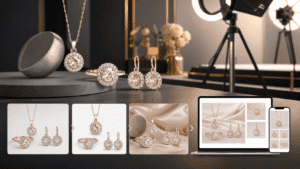
Phot.AI for Jewelry Product Photos: A Detail-Safe Workflow
Use Phot.AI for jewelry product photos with strict checks for stone shape, metal color, scale, reflections, fine details, and truthful presentation.

Use Phot.AI for jewelry product photos with strict checks for stone shape, metal color, scale, reflections, fine details, and truthful presentation.

Build a Phot.AI batch-editing workflow with catalog specifications, product families, exception queues, human review, consistent exports, and quality metrics.
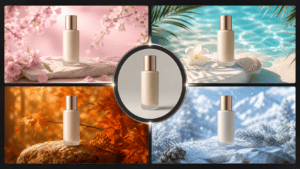
Reuse an approved product master across seasonal campaigns with accurate scenes, intentional channel adaptations, clear version control, and reusable assets.

Use Phot.AI for Etsy product photos while protecting item accuracy, scale, materials, variation consistency, mobile presentation, and buyer trust.

Build marketplace listing images with a clear storyboard, accurate product details, mobile-first quality checks, reusable masters, and consistent exports.
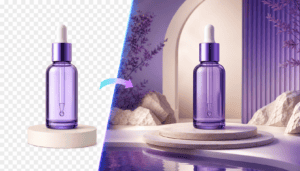
Compare an AI background remover with a virtual studio for product cutouts, generated scenes, catalog accuracy, quality control, and reusable assets.

Build controlled Phot.AI social ad variations with clear hypotheses, accurate product assets, placement checks, version tracking, and useful test data.
Compare Phot.AI alternatives by product fidelity, background quality, templates, workflow speed, export control, commercial terms, and approved output cost.

Learn a controlled workflow for creating product ads with AI, from the brief and source image to variations, mobile review, approval, and testing.

Compare AI product photo tools through catalog accuracy, background quality, batch workflow, exports, quality control, and approved output cost.