Publish a stronger WordPress article
Already have a website? Begin with the new-post SEO checklist. It gives you a publishing task to work through before you reconsider your whole plugin setup.
Open the publishing checklist ↗START HERE

You do not need a new toolkit to begin. Pick the task closest to your current project and start with one relevant guide.
These paths connect the main topics with a useful first read. You can explore the wider topic afterward.
Already have a website? Begin with the new-post SEO checklist. It gives you a publishing task to work through before you reconsider your whole plugin setup.
Open the publishing checklist ↗Start with an overview of AI product-photo tools, then compare the editing workflow against the images your store actually needs.
Compare product-photo workflows ↗Read the Debutify overview to understand the toolkit, then use the ecommerce hub for product pages, mobile shopping and app decisions.
Read the Debutify overview ↗The OnlySocial getting-started guide follows the route from connecting an account to checking a first scheduled post. Start there before automating a larger calendar.
Plan a first scheduled post ↗Choose between VPN, password and file-storage guides according to your concern. Each tool addresses a different part of the routine.
Choose a privacy guide ↗Compare structured classes and individual tutors first. The right lesson format depends on the speaking practice and schedule you can sustain.
Compare classes and tutors ↗Open Reviews for product overviews and comparisons. Use the tool shortlist when you want examples organized by task. Before paying, confirm the provider’s current features, billing period and renewal conditions; an article cannot reserve a price or guarantee an outcome.
From the article library
Continue with recent articles across websites, privacy, creative work and learning.

NordVPN can warn about malicious sites and scan some downloads, but users still need MFA, updates and careful verification.

Stop some ads and trackers with NordVPN protection features, then close the larger gaps with cookies, permissions and account settings.
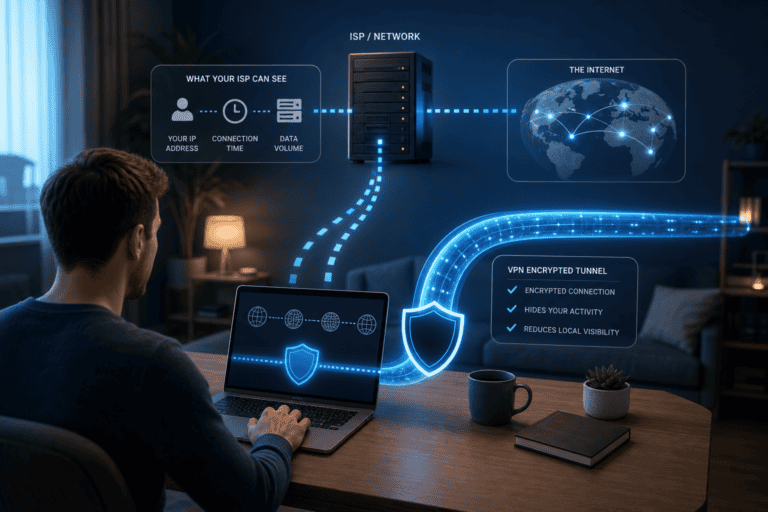
NordVPN reduces what the local ISP can see about destinations by encrypting traffic to the VPN server, but moves trust rather than erasing it.

When a network blocks standard VPN traffic, try NordWhisper or obfuscated servers—after checking policy and local law.

A DNS leak test can reveal a resolver outside the expected VPN path. Learn what the result means before adding custom DNS.

Use NordVPN P2P servers for lawful peer-to-peer downloads, verify the tunnel and avoid confusing privacy with permission.
Explore the full library when you are ready to go beyond your first guide.